


Theme fails to load to WordPress
Up
0
The Docly WordPress Theme fails to load into WordPress. My login information for WordPress/SiteGround.com is. Rerum cubilia, ultricies cillum, dignissim dignissimos, omnis magnis, commodi donec maecenas incididunt metus wisi
The margins in this first section is huge and we are trying to reduce it so the page doesn’t have a huge empty space, but when we move the margins to -250+, the buttons in the first 3-4 rows won’t work anymore.
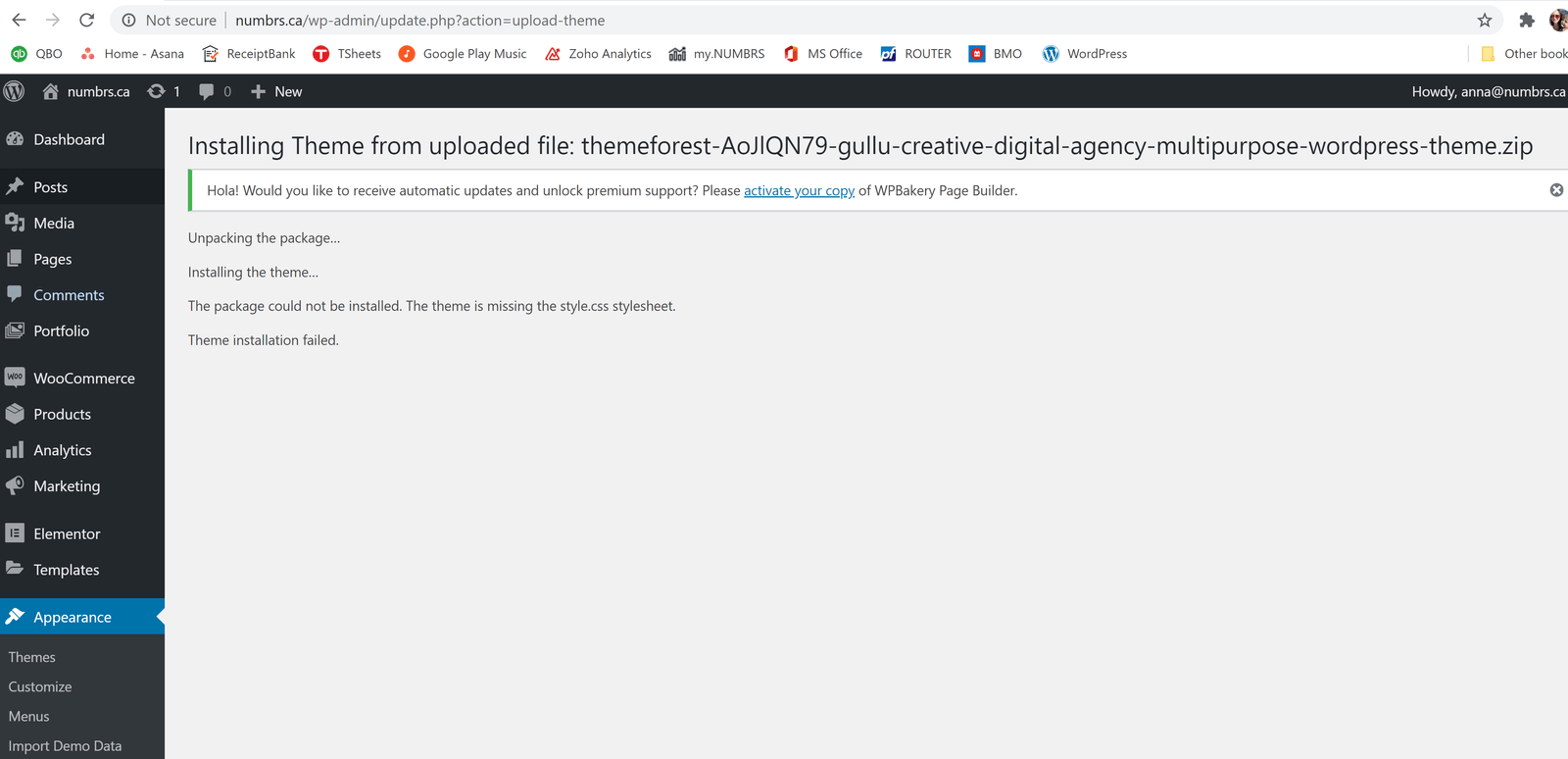
Please help!
Thanks
0
Updated vote successfully
All Replies
Viewing 2 reply threads
- The topic ‘Theme fails to load to WordPress’ is closed to new replies.
A common issue that can occur when installing a WordPress themes is “The package could not be installed. The theme is missing the style.css stylesheet.” error message being displayed when uploading or activating the theme.
One of the reasons you may receive this error is if you have uploaded the incorrect file. You have 2 options for downloading your theme.
1. Installable WordPress file only. (below)
2. All files and documentation (full zip folder). You will need to extract and locate the installable WordPress file. (below)
Please make sure you are uploading only the installable theme which is called NameOf Theme.zip. If you upload ALL these files you will receive an error.
Upload the Installable WordPress file admin area
Log in to your WordPress admin area.
Browse to Appearance > Themes.
Click on ‘Add New’.
Click ‘Upload’.
Browse and select the theme zip file to ‘Upload’.
Upload Via FTP
WordPress files can also be uploaded manually via FTP.
Upload the files to /wp-content/themes/ folder on your server.
Login to your WordPress admin area to change the theme.
Check out the guide on WordPress.org here.